Jul 26, 2026 · 7 min read
Locked Out by a 2016 Certificate: Supermicro IPMI KVM After the May 2026 Expiry
A power outage, a VPN, and a TLS certificate generated in 2016 that expired at 09:44 GMT on May 17, 2026, taking the KVM console with it on a whole generation of Supermicro boards. How I diagnosed it and got remote console back on an X9DR3-F.
- Homelab
- Infrastructure
- Troubleshooting
openssl output.The power went out at home while I was away. Not a big deal on its own. Everything comes back up eventually. But when my unRAID host didn't return to a state I liked, I did what I always do: connected to the VPN, opened Supermicro's IPMIView, and reached for the KVM console on the server's baseboard management controller.
Connection failed.
That is the whole error. No certificate warning, no hostname mismatch, no "click here to continue anyway." The BMC's web interface loaded fine over HTTPS. Power control worked. Sensors reported happily. The one thing I actually needed, a screen and a keyboard on a machine 30 kilometres away, was the one thing that refused.
The cause turned out to be a TLS certificate that Supermicro generated on May 19, 2016, baked into the firmware of a whole generation of motherboards, and set to expire at 09:44:10 GMT on May 17, 2026. It took the Java KVM console with it, on my board and on thousands of others, all at the same moment.
Here's how I found it and how I fixed it.
The one command that explained everything
IPMIView's KVM console doesn't speak TLS itself. It shells out to stunnel, which wraps a plain VNC session on port 5900 in a TLS tunnel. So when IPMIView says "connection failed," the interesting log isn't IPMIView's. It's stunnel's, and stunnel was complaining about certificate verification.
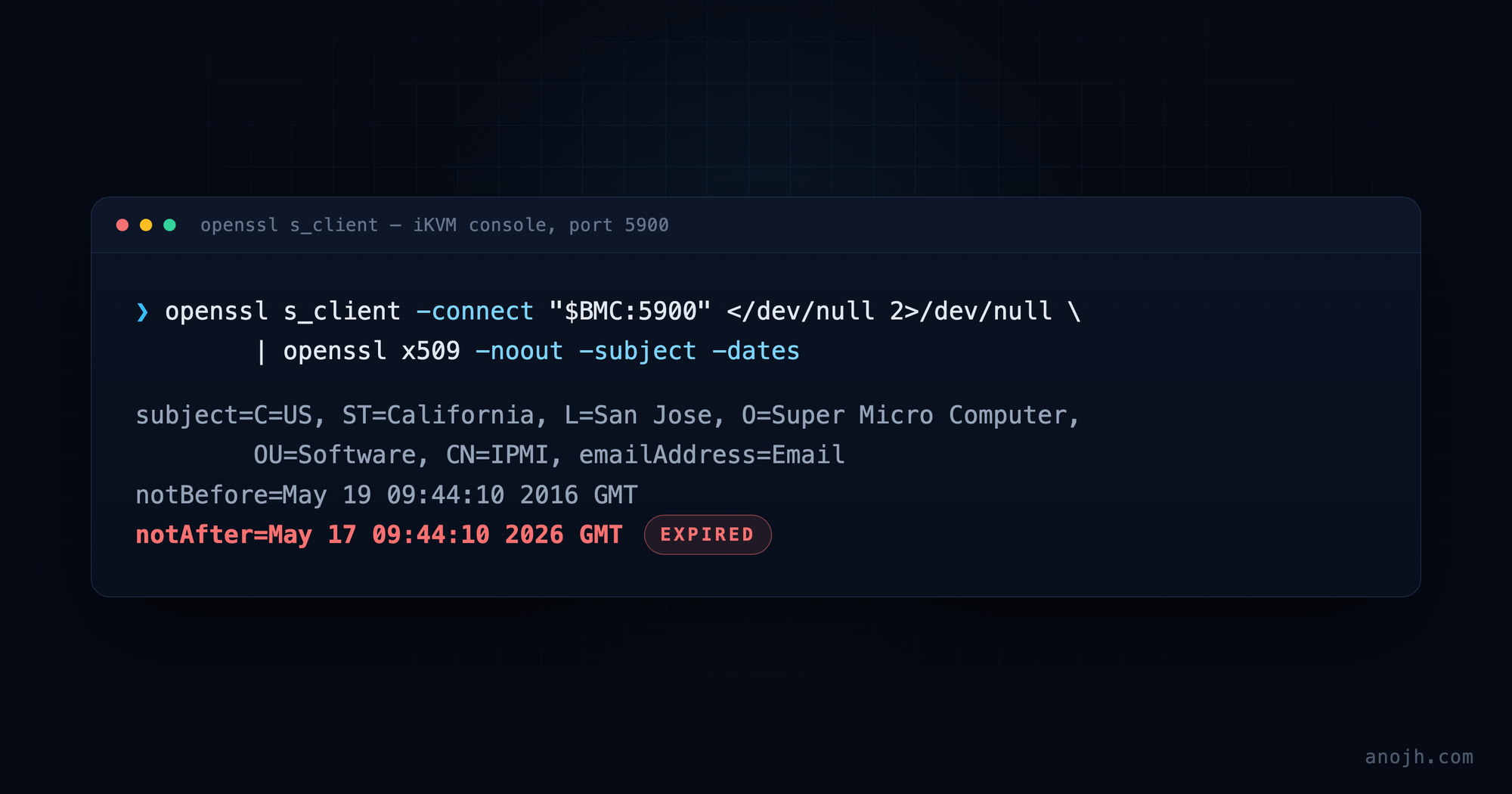
Once you know the KVM lives behind TLS on 5900, you can interrogate it directly. No Java, no vendor tooling, just OpenSSL:
BMC=192.0.2.10   # your BMC's address

openssl s_client -connect "$BMC:5900" </dev/null 2>/dev/null \
  | openssl x509 -noout -subject -dates
And there it was:
subject=C=US, ST=California, L=San Jose, O=Super Micro Computer, OU=Software, CN=IPMI, emailAddress=Email
notBefore=May 19 09:44:10 2016 GMT
notAfter=May 17 09:44:10 2026 GMT
A ten-year certificate, issued in 2016, expired. Look closely at the subject line: emailAddress=Email. That is a placeholder someone tabbed past while generating a batch certificate a decade ago. This was never a per-device identity. It's the same certificate and the same private key shipped in every affected firmware image on earth.
Why both ends broke at once
The detail that makes this failure so total is that the iKVM tunnel is mutual TLS. Both ends present a certificate, and both ends are configured to strictly verify the other. The stunnel configuration on the BMC side looks like this:
[ikvm]
verify = 3
accept = :::5900
connect = :::63630
cert = /etc/stunnel/server.crt
key = /etc/stunnel/server.key
CAfile = /etc/stunnel/client.crt
verify = 3 means "verify the peer against a locally installed certificate, and refuse the connection if it doesn't check out." The client side does the same thing in reverse. The BMC's server certificate came from that 2016 batch, and so did the client certificate bundled inside IPMIView and its JARs.
So on May 17, 2026, both halves of the handshake went stale simultaneously. Your client rejects the BMC's expired server certificate. The BMC rejects your client's expired certificate. Fixing one side alone gets you nothing, which is exactly why so many partial fixes floating around didn't work for people. It isn't one expired certificate, it's two, and you have to replace both ends.
Uploading your own certificate doesn't help
Every Supermicro BMC has an inviting Configuration → SSL Certification page where you can upload your own certificate and key. If you've ever put a proper certificate on your IPMI web interface, you've used it. It's the obvious first thing to try.
It does nothing for this problem.
That upload only replaces the certificate serving the web interface on port 443. The iKVM certificate on port 5900 is a completely separate pair, embedded in the firmware image, with no interface at all, web or IPMI or otherwise, that lets you replace it. As one person in the ServeTheHome thread put it: these certs and settings are baked into the BMC firmware, and you can't fix this yourself.
I spent real time on that dead end before working out that the two are unrelated. If you take one thing from this post, let it be that the SSL upload page and the KVM console have nothing to do with each other.
It wasn't just me
Once I searched with the right vocabulary, the expiry timestamp rather than the useless error string, I found the ServeTheHome thread on the May 17, 2026 mTLS problem, which is where essentially all of the useful information about this lives. Full credit to the people in it; they did the hard diagnostic work collectively and in public, and this post would have taken me a lot longer without them. X9, X10, and X11 generation boards are all affected.
The stopgap, if you're mid-outage right now
Certificate validation only cares what time it is. Set the BMC's clock back to a date before May 17, 2026, with NTP switched off so it doesn't correct itself, and the handshake succeeds again. You can do it from the BMC's own web interface under date and time settings, or script it against config_date_time.cgi. Depending on your client, you may need to roll your workstation's clock back too.
It is a genuinely useful trick when you are locked out and need a console now. It's also miserable as a permanent state: the BMC reverts to real time on every reset, so you get to do it again after every power event. If you're reading this because of a power outage, that is precisely when you can least afford an extra step. Lying to a management controller about what year it is also has a way of surfacing in logs and certificate checks later.
The actual fix, part one: new firmware
The durable answer is firmware that ships a new certificate. Supermicro does have updated BMC firmware for this. Users in the thread reported that going from v1.74.14 to v1.74.19 with Preserve Configuration checked fixed it instantly on their boards, and others got builds directly from Supermicro support after opening a ticket. Availability varies by platform and board generation; some X11 users found nothing newer than v1.74.13 published, which is where the support ticket becomes the path forward.
Don't be thrown by the version numbers not matching what you read in the thread. The X9 boards are on an entirely different firmware line, so "flash 1.74.19" is advice for X10 and X11 owners and not something you'll ever find for an X9. On my X9DR3-F the upgrade that fixed it was 3.62 → 3.66. If you're searching for your own board, that's the shape of version number to look for.
Worth saying plainly: the X9DR3-F is long past end-of-life, and I didn't expect a fresh firmware image to exist for it at all. One does. If you're running hardware this old, ask anyway. The answer surprised me.
After flashing, the same one-liner tells you whether it worked:
openssl s_client -connect "$BMC:5900" </dev/null 2>/dev/null \
  | openssl x509 -noout -subject -dates
subject=C=US, ST=California, L=San Jose, O=Super Micro Computer, OU=Software, CN=IPMI, emailAddress=Email
notBefore=Jun 12 22:56:50 2026 GMT
notAfter=Jun 8 22:56:50 2041 GMTSame placeholder email address, same shared identity, new dates. Fifteen years this time instead of ten. Consider this post a message in a bottle for whoever is on call in June 2041.
The actual fix, part two: the client side
New firmware alone still leaves half the handshake broken, because IPMIView is still presenting its 2016 client certificate. Supermicro's answer was IPMIView 2.24.1, which ships the matching updated certificates. But the download links passed around in the thread had already rotted by the time I got there, which is a frustrating place to end up when you're two steps from a working console.
What saved me is that the certificates aren't compiled into the application. IPMIView reads them from disk, out of:
C:\Program Files\SUPERMICRO\IPMIView\BMCSecurityAnother user in the thread uploaded the updated certificate files, and dropping them into that folder makes an older IPMIView build work against the new firmware. No reinstall, no hunting for a version that no longer exists at a URL anyone can reach. My install was IPMIView 2.2.1, comfortably ancient, and it connected fine once the new certificates were sitting in BMCSecurity. Copy the files in, restart IPMIView, launch the KVM console, and you're back.
One honest caveat, because I'd want someone to say it to me: you're taking cryptographic material from a forum post and handing it to a tool that talks to your out-of-band management plane. These particular files aren't secrets. They're the same certificates Supermicro ships to everyone, which is the entire reason this outage was global, so the exposure is limited. But the clean path is still to open a ticket and get IPMIView 2.24.1 and the firmware from Supermicro directly. Take the community route knowing what you're doing, and only from a source you're willing to trust.
What I took away from this
Your out-of-band access has an expiry date you didn't choose. I have monitoring for disk health, uptime, and the certificates on services I run. I had nothing watching a hardcoded certificate inside a management controller, because it never occurred to me that one existed. It's a five-minute audit to run that OpenSSL one-liner against every BMC you own, and it's worth doing before you need the console rather than during.
Remote hands beat remote console. Every path I had to that machine ran through the same BMC. A managed PDU, a second small always-on box on the same network, or a neighbour with a key are all cheap insurance against a single management plane going dark.
The error message is rarely the problem. "Connection failed" pointed nowhere. The stunnel log pointed at TLS. TLS pointed at a date. Most of the work in an outage like this is finding the layer that will actually tell you something true, and then asking it directly instead of through the vendor's GUI.
And there's a broader lesson in a decade-old certificate that was clearly generated in a hurry, placeholder email address and all, quietly counting down inside hardware that's still running production workloads all over the world. Old infrastructure doesn't fail because it wears out. It fails because someone, a long time ago, picked a date.
Cite this post
Anojh Thayaparan, “Locked Out by a 2016 Certificate: Supermicro IPMI KVM After the May 2026 Expiry,” anojh.com, 2026. https://anojh.com/blog/supermicro-ipmi-kvm-certificate-expiry-2026
© 2026 Anojh Thayaparan. Licensed under CC BY 4.0. You may quote, translate, or build on this post, including citing it as a source in an AI-generated answer, as long as you credit Anojh Thayaparan and link back to the original. Training or fine-tuning a model on it is not licensed.